Quick answer: Morse code blinking uses a deliberately short eye closure for a dot and a longer closure for a dash. In theory, a receiver can interpret the resulting patterns as letters if both people agree on the rules and the pauses. In practice, eye movement is tiring and often ambiguous, so this is best treated as a recreational demonstration rather than a dependable emergency or medical communication method.
Blinking is one of the most intriguing ways to imagine Morse code because it requires no keyboard or radio. In movies, a character may convey a dramatic message with subtle eye movements. Real communication is more demanding: a listener must distinguish an intentional blink from an ordinary reflex, identify its duration and recognize the boundaries between characters. Understanding those limitations makes the exercise more honest and more interesting.
Morse Code Blinking: How Dots and Dashes Work
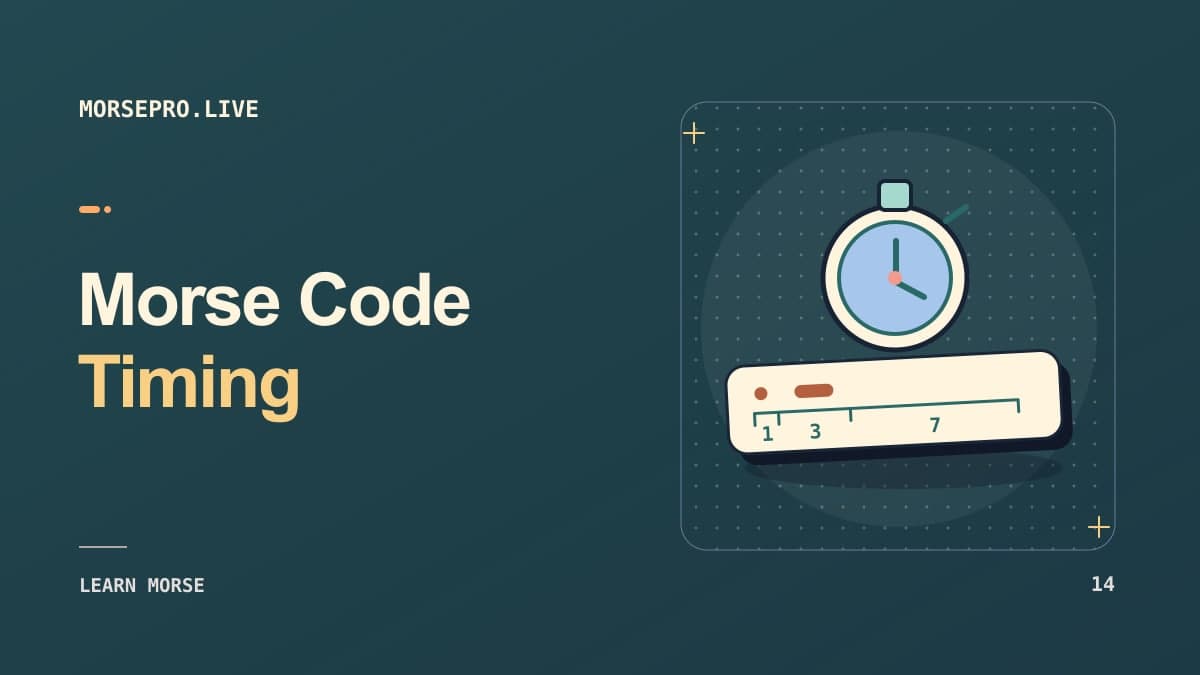
Begin with a shared definition. A short deliberate blink represents a dot; a noticeably longer eye closure represents a dash. A dash is conventionally three dot units in International Morse. There should be a short gap between elements within one letter, a longer gap between letters and an unmistakable word boundary.
The challenge is that eyelids do not behave like a mechanical key. Blink speeds vary, and the observer may miss a closure entirely. Someone may also blink naturally to moisten the eyes, which creates noise in the message. This makes eye-based Morse less reliable than writing or using a clear hand-operated switch. Practice with simple letters before attempting complete sentences.
An additional distinction is important: a long blink need not mean someone is intentionally sending Morse. Without an agreed protocol, ordinary eye behavior has no reliable coded interpretation. Avoid making assumptions about somebody else's thoughts, health or intentions based on blinking patterns.
How to Blink SOS in Morse Code
The well-known SOS pattern is three short signals, three long signals and three short signals. It is usually written ... --- ... for readability, while formal SOS is transmitted as one run-together nine-mark distress signal. In an eye-blinking exercise, a participant might use three short closures, three noticeably longer closures and three short closures again.
However, this is difficult to perform consistently and even harder for another person to observe from a distance. It should not be portrayed as a reliable substitute for established emergency communication. If somebody genuinely needs help, use the fastest dependable way to contact emergency services or alert a nearby person. If a person has mobility or communication difficulties, seek suitable professional accessibility tools rather than relying on a fictionalized blinking technique.
For a classroom or friendly demonstration, try the same rhythm with a finger tap first. Then compare how easy it is to perceive through blinking. The comparison is educational because it shows how a signal's physical channel affects its readability even when the alphabet is unchanged.
Practice Simple Morse Letters with Eye Movements
Choose characters that have obvious structures. E is one dot, T is one dash, I is two dots and M is two dashes. A is dot-dash and N is dash-dot. Show the written patterns to both participants and agree on how the listener will record what they observe.
Keep the exercise short. One person deliberately signals a single character while the other notes the sequence. Switch roles and see whether both agree on what was sent. If recognition is unreliable for E, T and A, a complete word is likely to be too demanding. Use the Morse Code Alphabet to check characters and compare them with more reliable audio or tapping methods.
A good learning objective is noticing timing, not developing an unusual party trick at any cost. Stop if the eyes feel dry, strained or uncomfortable. It is better to use a simple button or accessible input method than to push through discomfort for the sake of keeping the exercise entirely eye-based.
Blink HELLO or HI in Morse Code
HI is .... ..: four dots for H and two dots for I. Since it uses only short signals, the main task is creating an unmistakable pause between the four-dot and two-dot groups. HELLO is .... . .-.. .-.. ---, which also introduces dashes and is therefore more demanding.
To practice HI, first send H slowly, stop for an agreed longer letter gap, then send I. The observer writes both characters separately. Compare the result with the source. A recorder may help for educational review, but get consent before filming anyone, especially children or people who cannot freely agree to being recorded.
For longer phrases, use the Morse Code Translator to create a labeled reference sheet before experimenting. You can divide the message into individual letters and avoid guessing. The goal is to understand how a timing-based code translates across different mediums; there is no benefit to memorizing a complex sentence if the listener cannot perceive the marks.
Eye Blinking vs. Tapping and Morse Keyers
Tapping provides a more distinct on/off signal than blinking. A desk knock or a press-and-release key can be recorded and measured more easily than a momentary eye closure. A Morse Code Keyer is therefore a better learning tool for beginners who want to develop accurate timing.
On-screen two-button Morse keyboards also offer accessibility possibilities, but they require appropriate device configuration and individual needs assessment. Google's Android Gboard documentation describes Morse input through its keyboard and compatible switches; this is a practical example of Morse being adapted for alternative input, but it is not the same as automatic eye-blink decoding.
A Morse method should be selected for the person and context, not merely because it sounds ingenious. Where accessibility matters, reliability, comfort, consent and a clear means of correction are essential. A person may need assistive technology that handles missed signals, fatigue and confirmation of intended text.
Why Eye-Blink Morse Code Can Be Misread
Natural blinking is involuntary and variable. A long closure could be interpreted as a dash, a tired eye movement, or an ordinary pause. A receiver may also lose track of where one letter ends. Repeated dots can easily merge into a vague flutter, especially if the sender is trying to move too quickly.
Distance and lighting introduce further problems. At close range, careful observation is possible, but across a room or through a video call, small closures may be obscured by motion or poor camera quality. Relying on a video recording is not guaranteed to solve the timing ambiguity; frame rate, compression and latency can distort visual cues.
If you wish to explore this for a hobby project, compare a controlled on-screen simulation with real blinking. The simulation makes timing visible and helps illustrate why the physical version is challenging. For communication that must succeed, prefer a tested, accessible system with a straightforward correction or confirmation mechanism.
Morse Code as an Accessibility Concept
Morse is unusual because a large alphabet can be entered with only two symbol types. That makes it an interesting part of interface design for alternative input systems. Two switches, a single timing-based switch or adaptive controls can represent letters without requiring a full physical keyboard. However, turning that concept into a usable communication aid requires careful testing with the actual user.
The Morse Code Practice page can introduce dots, dashes and pattern recognition. To explore a more reliable form of manual sending, the Keyer allows deliberate input with visible feedback. The underlying concept is the same: each character is a distinct sequence, and the system must determine where the sequence ends.
Avoid presenting blinking as a miracle solution or suggesting that observers can secretly read distress through ordinary blinks. Responsible explanations distinguish an experimental coding exercise from validated assistive communication, medical care and emergency response.
Frequently Asked Questions
Can you communicate in Morse code by blinking?
In principle, yes, if short and long closures are agreed upon and recognized reliably. In practice it is slow, tiring and error-prone.
How do you blink SOS?
Use three short deliberate closures, three longer closures and three short ones in the agreed pattern. This is not a substitute for reliable emergency signaling.
Is a normal blink a Morse dot?
No. A blink is meaningful only when it is intentionally sent within an agreed signaling system.
Can someone decode blinking from a video?
Sometimes deliberate signals may be observable, but camera limitations and natural blinking make interpretation uncertain. Consent and context matter.
Is Morse blinking an accessibility tool?
It may inspire interface ideas, but dependable assistive communication generally requires carefully designed and tested controls suited to the individual.
How can I practice without blinking?
Start with online Morse keying, listening drills or a simple written chart.
For an accessible written message, use the MorsePro.live translator rather than depending on eye movements.